
Platform overview
Build it. Prove it in simulation. Ship it.
One platform for the whole path of a robotics or AI workflow: build it with an AI assistant, test it across thousands of conditions before it meets the real world, and put the version you tested behind your own product. On your workers today, in the cloud as you grow.
Four things it does
What makes EsaSim a platform, not a simulator
Build with agents
Describe what you need; your assistant builds the blueprint, writes missing blocks and keeps improving it with you.
Simulate at any scale
The same blueprint on a laptop, on your GPU servers and, soon, on cloud GPUs paid from prepaid credits.
Work as a team
Projects on your GitHub with branches, pull requests and reviews; roles, limits and an audit log.
Ship to production
A blueprint published as an endpoint your app calls; a trained policy published as a release.
How a study goes
Five steps, repeated until the design holds
Every step writes to the same project, so a result remembers the scenarios it was tested on and the version of the flow that made it.
- 01
Describe
Say what has to work and what could make it fail, to your assistant or on the grid.
- 02
Build
The study becomes a blueprint: data, simulators, training and views wired together.
- 03
Run wide
Sweep the conditions in parallel on your PCs and GPU servers.
- 04
See where it breaks
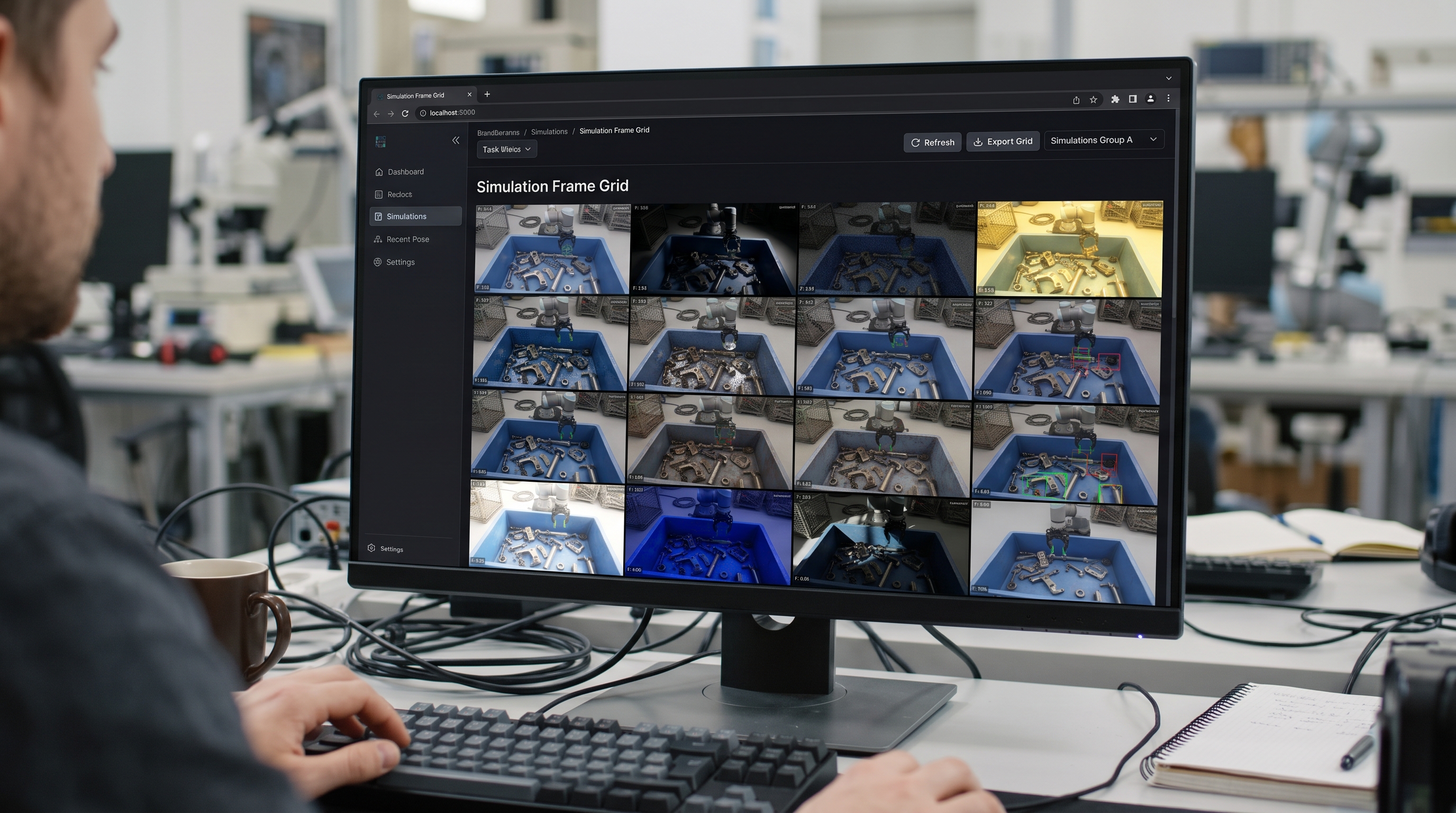
Success by condition, live charts and 3D replays on one page.
- 05
Improve and rerun
Change the design, run the same scenarios, compare version against version.
AI assistants
Set up a simulation by describing it
Connect Claude, ChatGPT, Cursor or any MCP client to your workspace. The assistant builds the flow, writes missing blocks, runs it on your workers and reads the results, with the access you choose. EsaSim's own models and an API for agents are in development.
How assistants work in EsaSim# Example session
You Will our drone land on a moving pad
in gusty wind? Find where it fails.
✓ Found blocks: Landing sweep, Telemetry,
3D view, Chart
✓ Built the flow "Pad landing study" v1
✓ 400 scenarios × 50 trials, 4 tasks
✓ Read the results of 20,000 landings
AI It lands in 69.6% of the runs. Above
9 m/s of wind it rarely does.Modules
What is available today and what is coming
Modules marked in development are on the public roadmap in the changelog.
Blueprints
Flows of blocks on a grid, run across your workers, with a View page for every result, versions, templates and your own blocks.
AI assistants
Claude, ChatGPT, Cursor and any MCP client build flows and blocks, run them and read the results, with the access you choose.
Compute orchestration
Your workers on Windows, Linux and macOS set up from the dashboard, parallel tasks, job queue, live logs and outputs; blocks in Python or Docker.
Data and curation
Datasets indexed where they live, versions, previews, AI review with the Agent block and lineage; image checks for quality, duplicates and labels with a review grid; the Hugging Face Hub; the free EsaSim library of test data.
Simulation
The landing sweep with 3D replays, warehouse fleets, soft-tissue anatomy and rocket flights in the 3D view, your own simulators in Python blocks, and the earlier preset jobs for Isaac Sim, Isaac Lab and MuJoCo.
Generative AI
Images and short videos from text with open models on your own GPUs, reviewed as they arrive and kept as a dataset.
Medical imaging
CT and MR scans checked, segmentations turned into 3D anatomy and printable models, and a soft-tissue model you can turn and pull.
API endpoints
A blueprint published with an address and a key: your own app or CI runs it and reads the results as JSON.
Projects on GitHub
Each project is a repository of yours, with branches, pull requests, history and trained policies published as releases.
Organizations
Roles, seats, teams, invitations, per-member limits, audit log, 2FA and IP rules.
AI models
EsaSim models billed per token from prepaid credits, or your own key for Anthropic, OpenAI, Google and others.
EsaSim models for agents
Assistants on EsaSim's own models inside the editor, and an API for your own agents.
Real robots
Bridge workers that run a trained policy on the real robot, with limits, a watchdog and an emergency stop.
Cloud GPUs
Run on hyperscaler and private GPU capacity when your own hardware is busy.
Run evidence
Signed, tamper-evident records of what ran, on which inputs, with which result.
Data in the cloud
Datasets in your own cloud bucket, read by blocks in EsaSim Cloud.
Blueprints
Build the study as a flow you can run again
Wire datasets, simulators, AI review and views into a blueprint. Run it on your workers, follow it live, and find every result on the View page, next to the version of the flow that produced it.
About blueprints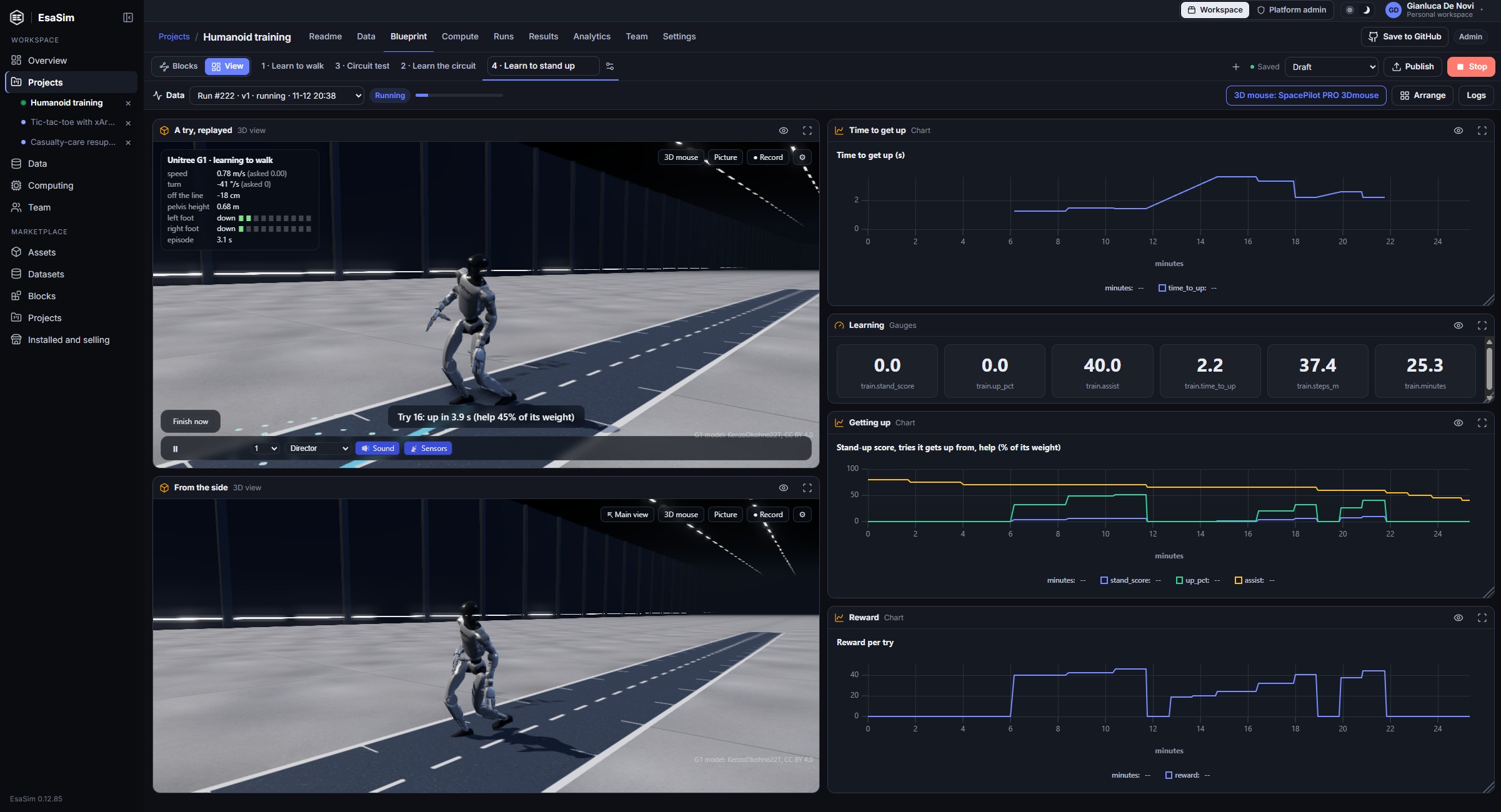
In production
Put what you built behind your own app
Publish a blueprint as an endpoint and it gets an address and a key. Your app, service or CI sends the inputs; EsaSim runs the published version on your workers and answers with the results as JSON. The app sees only that endpoint, and edits in progress never reach it.
- The inputs are the settings you choose, and nothing else
- A fixed version, or always the latest you published
- Every call is a run on record, with its inputs and files
curl -X POST https://esacode.com/api/v1/endpoints/8915db28c3231459/runs \
  -H "Authorization: Bearer esf_…" \
  -d '{"inputs": {"sources": "https://…/upload-4127.jpg"},
       "wait": 20}'

{ "status": "succeeded",
  "outputs": [{ "path": "review/decisions.csv",
    "rows": [{ "item": "upload-4127.jpg",
               "label": "ok" }] }] }
Every run can be traced and repeated
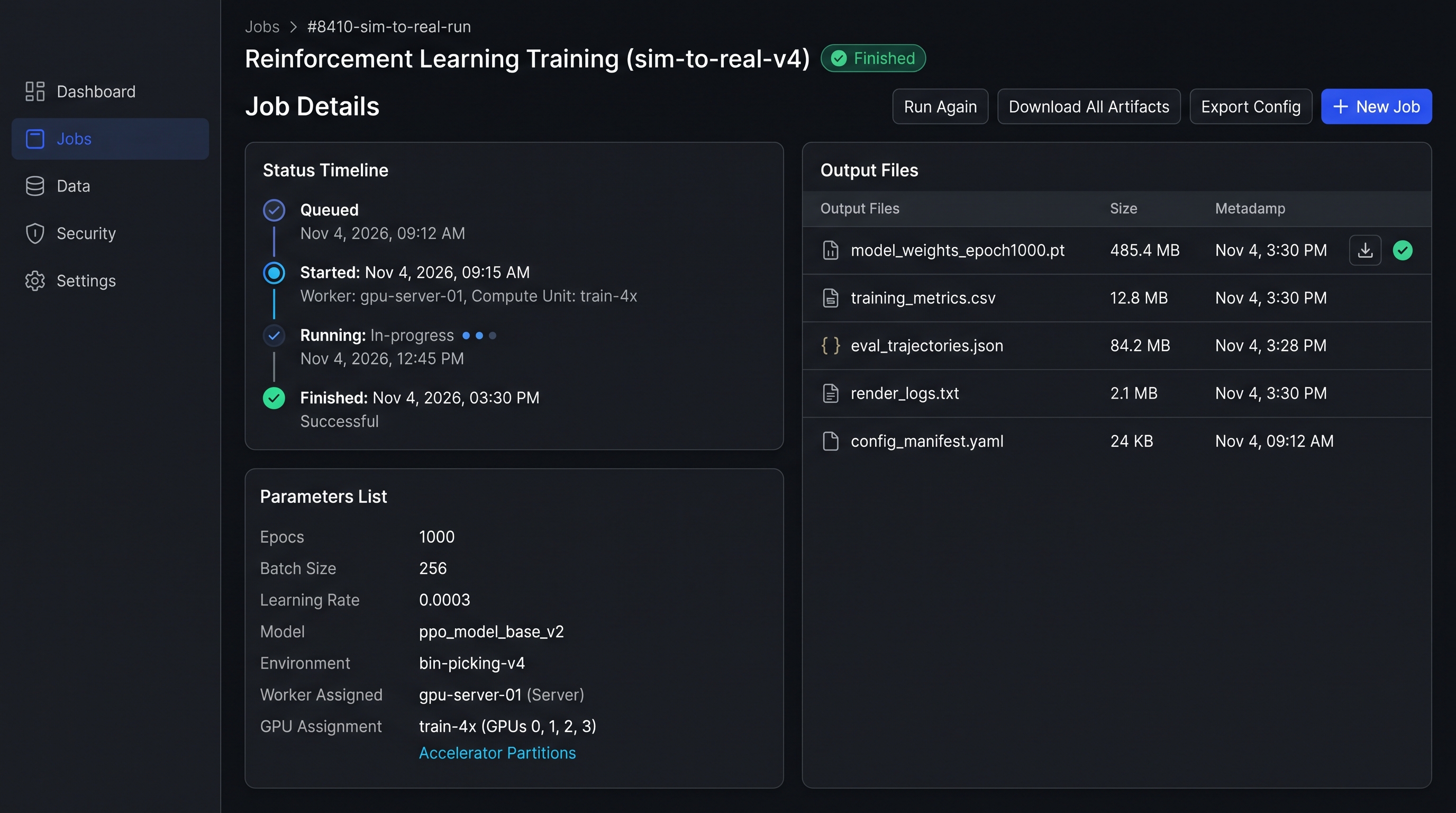
A job keeps its preset or flow version, its parameters, the worker and GPUs it ran on, its logs and an index of its outputs. Clone it to rerun with one change.
- Preset version or flow version pinned per run
- Datasets read at a fixed version, and new versions that name the run that made them
- Exit code, runtime and GPU-seconds recorded
- Outputs indexed whether they stay on the worker or upload
Build your first study this afternoon
Create a free account, link GitHub, pair a computer and copy a demo, or describe what you need to your assistant. It takes about ten minutes.