

Data and curation Early access
Find the data worth simulating, without moving it
Connect camera frames, logs, recordings and point clouds where they already live, in your buckets, Google Drive, Dropbox, OneDrive or your own workers. Let an AI agent review them, keep the cases that matter as a new dataset version, and trace every result back to the data it came from.
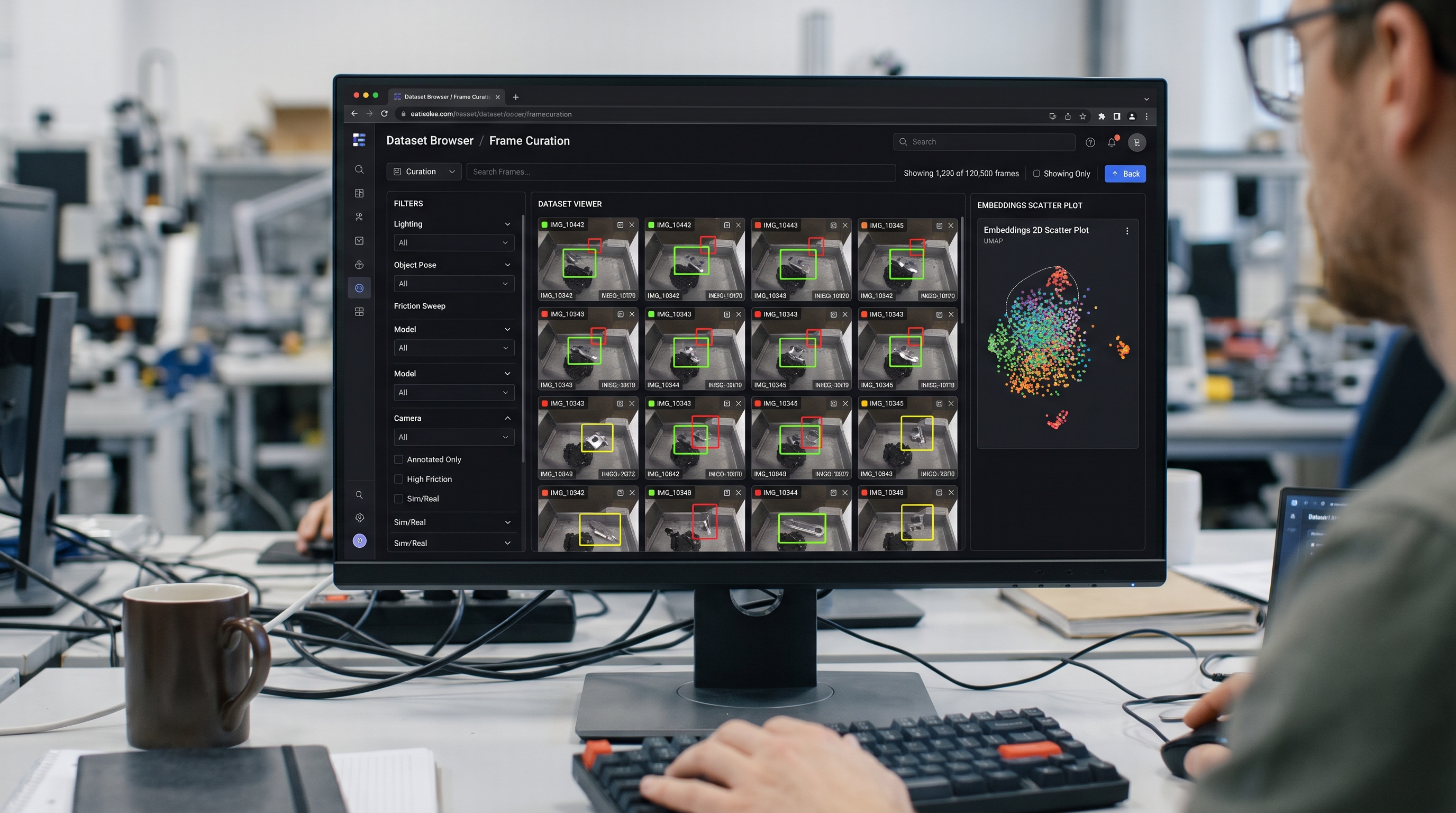
A curation flow
From last week's recordings to the cases worth simulating
- 01
Dataset
Read a fixed version of a dataset, in place on the worker that shares it.
- 02
Agent
An AI agent looks at each picture or log with the model you choose and labels it, with its confidence and reasoning.
- 03
Select files
Keep what the agent labelled, for example the failures worth simulating.
- 04
Save as dataset
Write them as a new dataset version that records the run and the data it came from.
Available now
What you can do today
Curation runs on the same workers as simulation: one program, with a data role switched on in the dashboard.
Datasets where they live
Connect S3-compatible buckets, Google Drive, Dropbox, OneDrive, or folders your workers share. A dataset is a folder or a pattern of files in one of them.
Upload, download, view
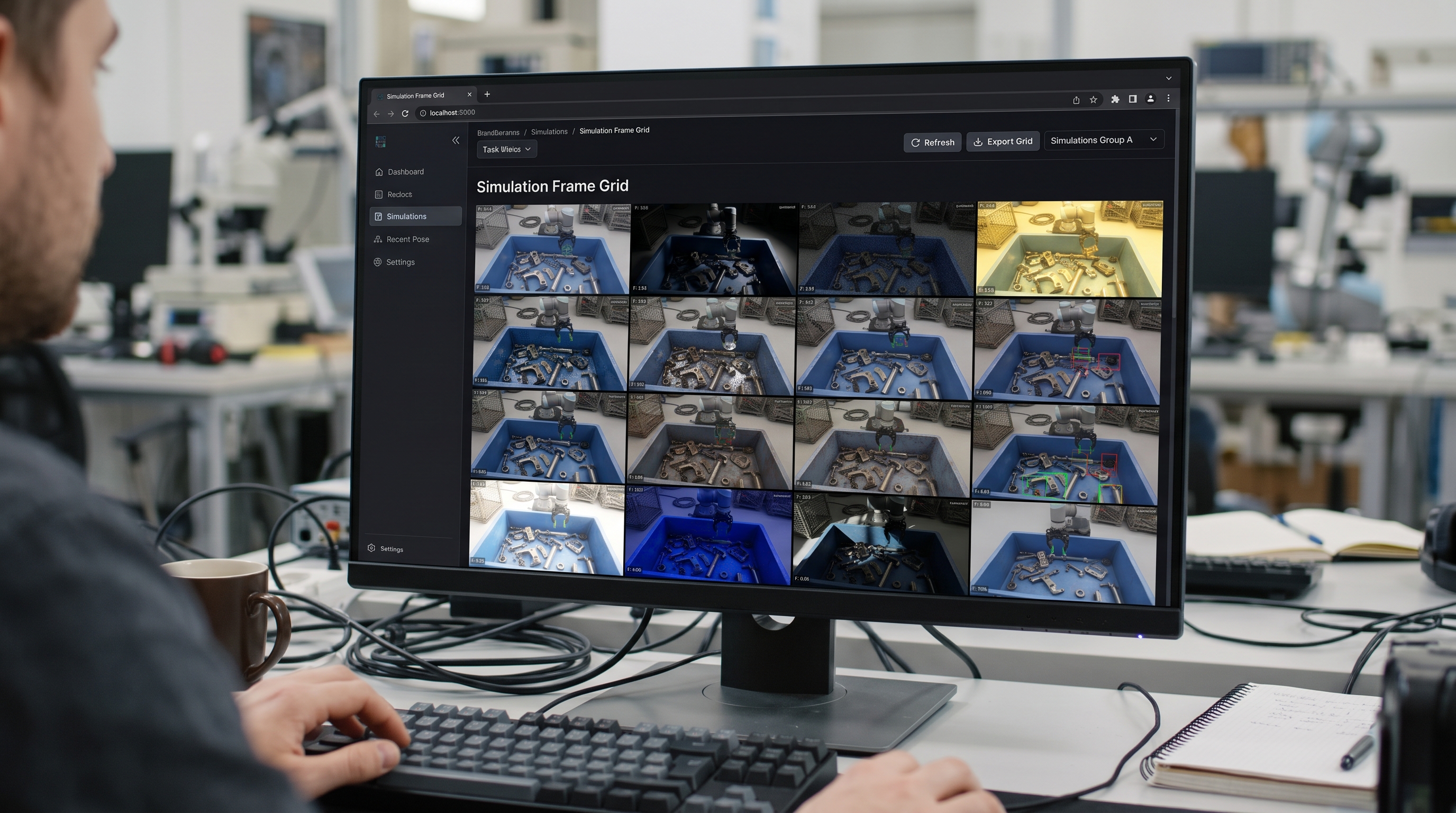
Drop files or whole folders on a dataset, download files or a zip, and open them in viewers for images (as a grid), video, audio, tables, JSON, text, PDF and 3D.
Results where you want them
Send a block's result files to any dataset as they are created, copied or moved, while the run keeps going.
Index, versions and previews
File list with SHA-256 checksums, image sizes, log lines, table columns and small previews. A new version is kept whenever the folder changes.
AI review
The Agent block reviews files, pictures, logs and table rows in a loop and writes a decision table you can filter and keep.
Lineage
Each version records the run that made it and the dataset versions it came from; each dataset lists the runs that read it.
EsaSim library
Free test data for every workspace: 3D models, landing camera pictures, a descent video, flight logs and results tables.
Image checks
Broken, blurred, dark and tiny pictures, copies and near copies, and labels that disagree with similar images, flagged with the reason.
Review grid
Look at the flagged images as cards, compare duplicates, keep, remove or relabel them, and split a clean train and validation set.
Hugging Face Hub
Read a dataset at an exact commit, or a repeatable sample of it, and publish a curated set as one commit with its licence and credit.
Generated data
Pictures and short videos made from text by open models on your own GPUs, reviewed as they arrive and kept as a dataset version.
Results as folders
Data > Projects shows every project you can open as folders of flows, runs and result files, following your role.
EsaSim library
Test data on day one
Before your own data is ready, try your flows on the collections EsaSim offers to everyone for free. Look at pictures and videos in the page, read the first lines of logs and tables, turn models around in 3D, and download any file.
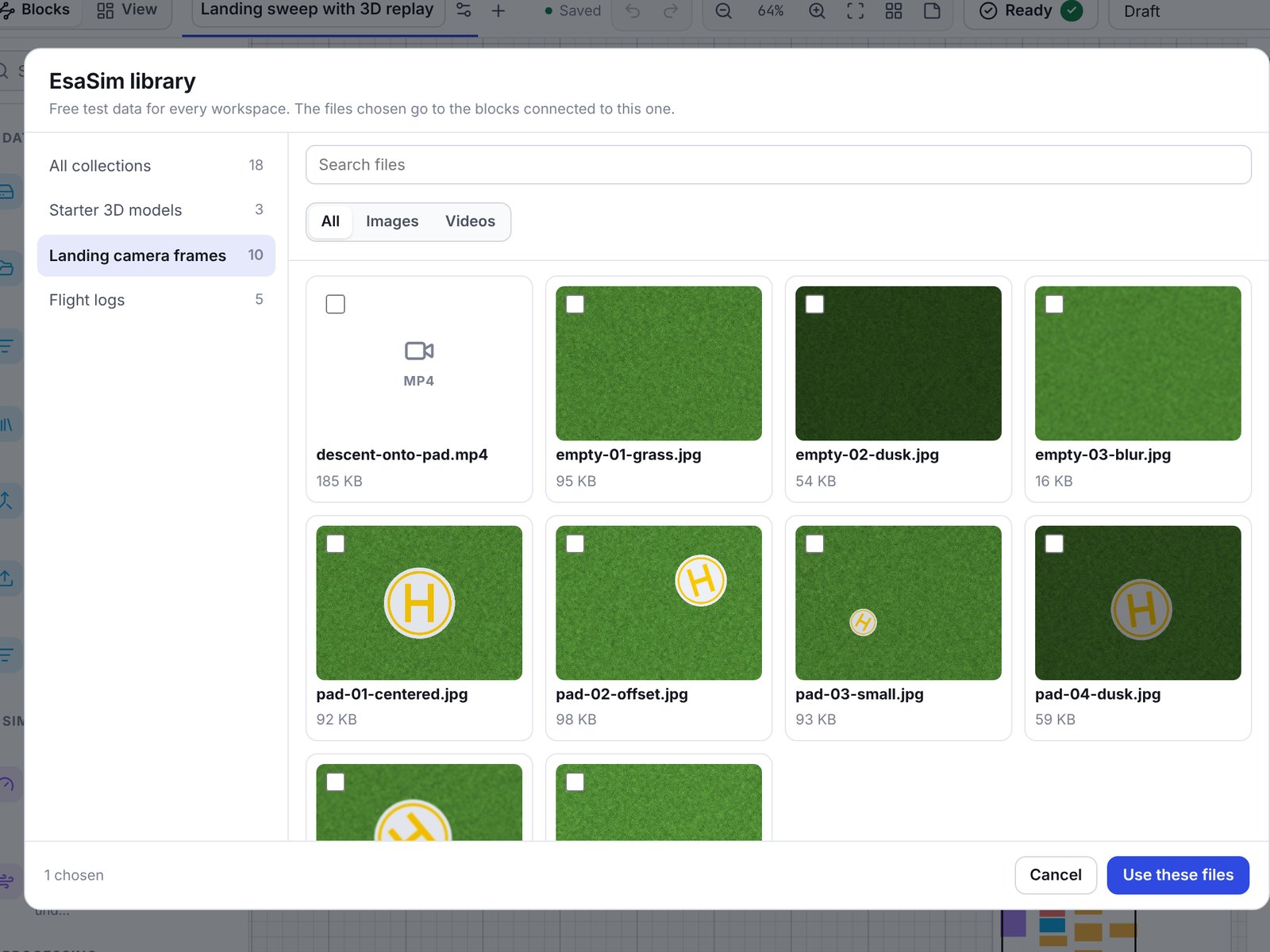
The Library block chooses which files a flow uses: the pictures a detector reads, the logs a parser reads, or the model that takes the drone's place in a 3D replay.
About the EsaSim library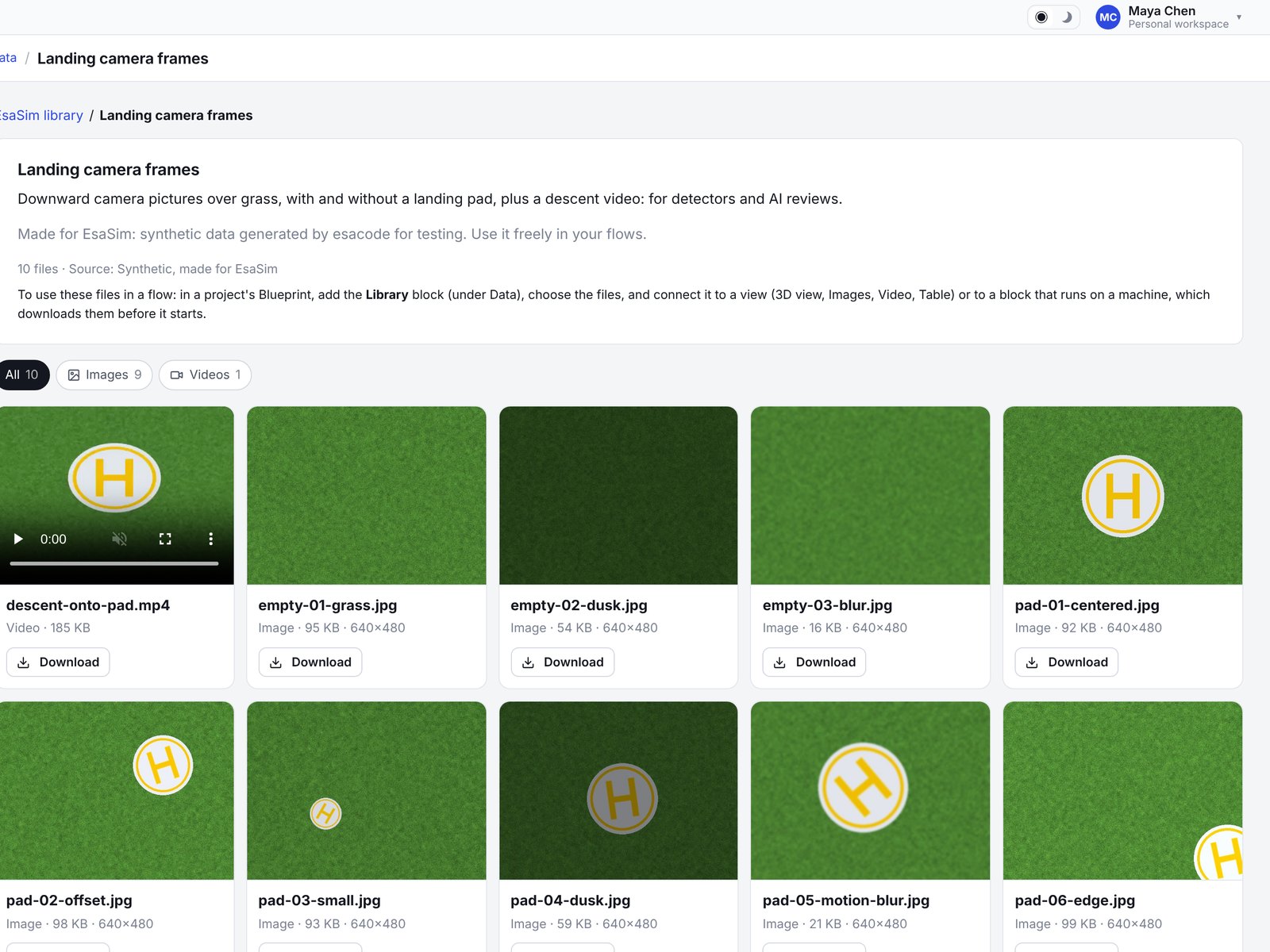
Curation that runs where the data is
Sensor data is large and often sensitive. The worker indexes it on the computer that holds it; EsaSim keeps only the index and small previews. Blocks that read a dataset are sent to that worker and open the files in place.
- Only listed folders can be read, never outside them
- Blocks write only into folders marked as writable
- In Docker, shared folders are mounted read-only unless blocks may write there
In the editor
Choose files the way you choose blocks
In a blueprint, pick datasets and versions from a list, and library files from a browser by collection and kind. The flow records exactly what it read.
Next
What we are building next
Azure Blob storage
Datasets in Azure containers, next to S3-compatible buckets and cloud drives.
Recording readers
ROS bag and MCAP readers, and frames extracted from videos.
Similarity search
Find the frames that look like a known failure across a whole dataset, from the embeddings already computed.
Curate your own data
Share a folder from a worker, index it in seconds and run your first review flow.