

Docs / Build
The EsaSim library
Free test data for every workspace: browse 3D models, pictures, videos, logs and tables, and use them in flows with the Library block. For platform admins: adding collections.
The EsaSim library holds collections of files that EsaSim offers to every workspace for free: 3D models, pictures, videos, logs and tables. They are mostly test data, so that you can try a flow before your own data is ready, and compare your work on the same files as other teams.
What is in it
New installations start with three collections, synthetic data made for EsaSim:
| Collection | Files | Good for |
|---|---|---|
| Starter 3D models | A quadcopter (0.55 m) and a landing pad (2 m) as GLB with materials, a cargo crate as OBJ | The 3D view; a model in the place of the drone of a scene |
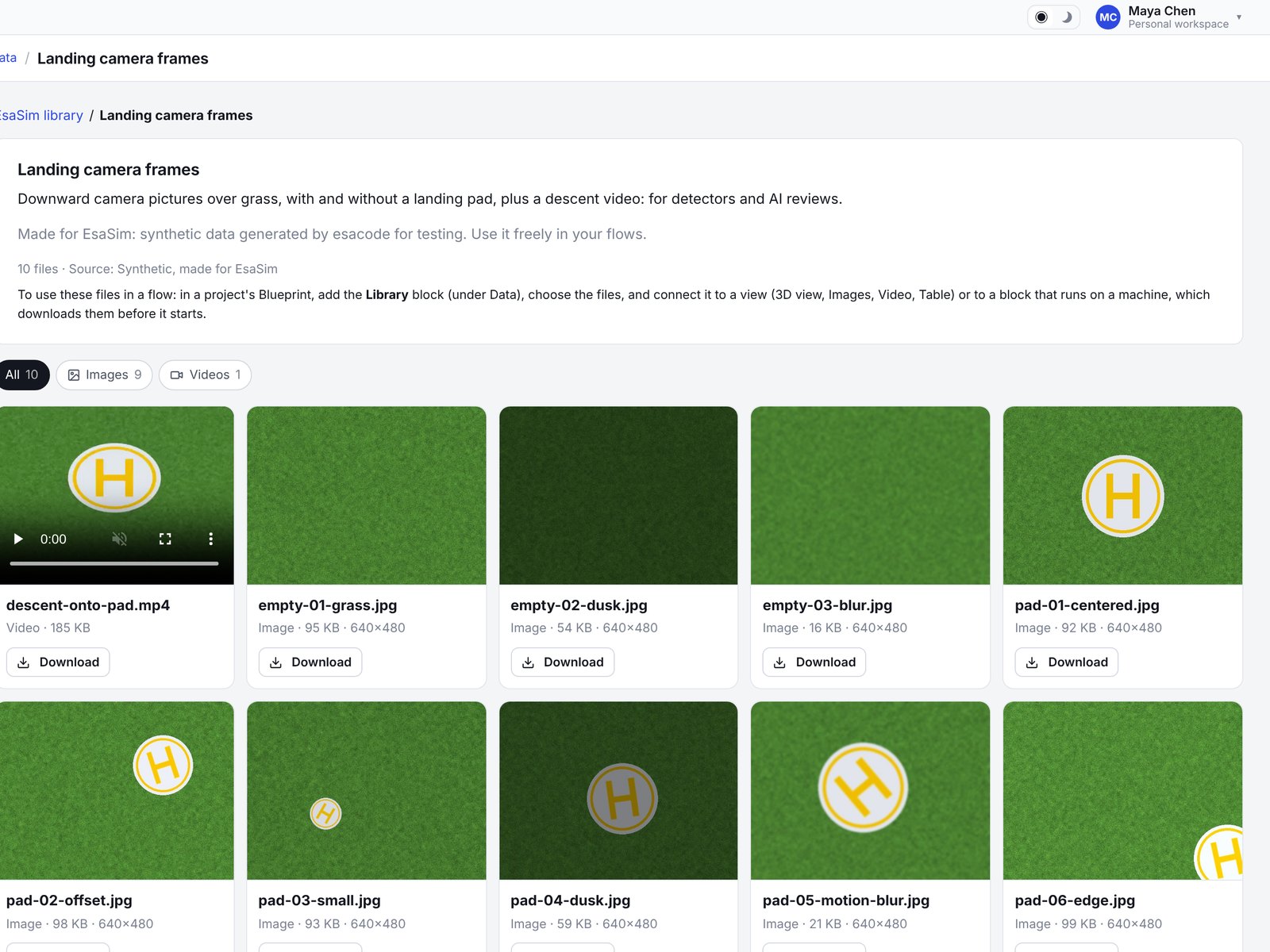
| Landing camera frames | Nine downward camera pictures over grass (640 × 480), six with a landing pad at different sizes, light and blur, three without; a six-second descent video | Detectors, the Agent block, the Images and Video views |
| Flight logs | Two simulated descents as CSV (time, position, speed, battery, wind) and as text logs, and a table of 120 landing results | Parsers, charts, Filter table |
EsaSim adds collections over time. Each one states its source and, where it has one, its license.
Browse it
The library opens from the Library block of a blueprint: Choose files shows each collection with its kinds of files and size. Filter by kind or search; pictures show as thumbnails, videos play, and logs and tables show their first lines.
Use it in a flow
- In a project's Blueprint, add the Library block (under Data).
- In its settings, Choose files: pick a collection on the left, filter by kind or search, tick the files and choose Use these files. The block lists them, in the order chosen; remove one with its ×.
- Connect its Files output to the blocks that need them.
- Views (3D view, Images, Video, Text, Table, or your own) load the files in the browser. They show them with a run and with sample data, so you can arrange the View page before running anything.
- Worker blocks receive the files in their input like any other file, for example
ctx.inputs["in"]in a Python script. The worker downloads them before the block starts, so the library works on every computer, without a shared folder. - The 3D view places models next to a scene, or in the place of one of its entities: set Model for to the entity's id (for example drone) and the first model takes its place, scaled to its size. In a scene file, an entity can name its model directly:
{"id": "drone", "model": "quadcopter.glb", "size": 0.55}.
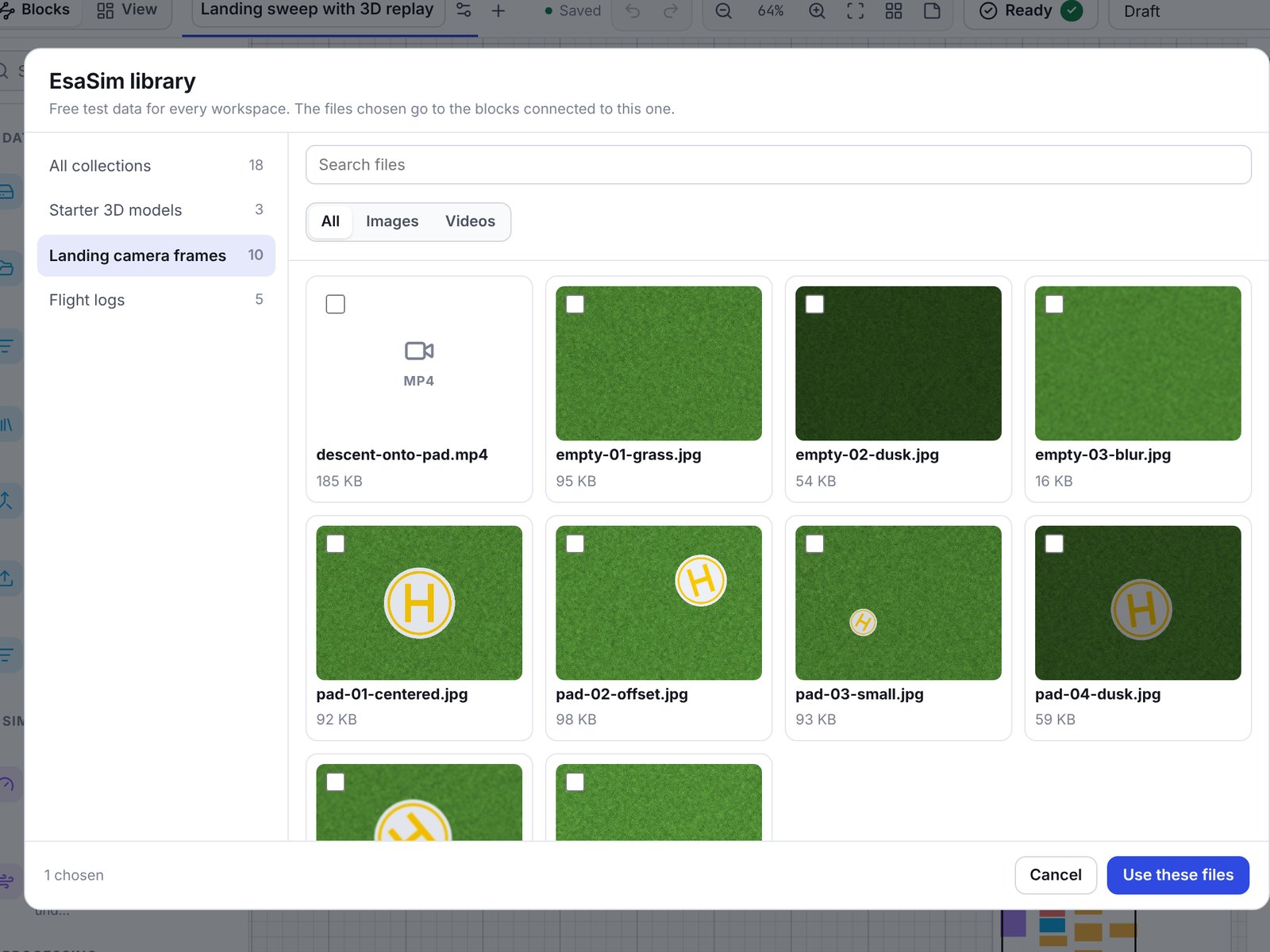
If a file is removed from the library later, the block shows how many of its files are missing and the flow warns before it runs.
For platform admins: adding content
Platform admins manage the library under Admin > EsaSim library. Platform staff can look but not change it.
- New collection: a title, one line about it, the source and the license. It stays hidden from users until you publish it.
- Open it and Add files: choose one or more files and Upload. Files go up in parts small enough for the server's upload limit, so large models and videos pass; up to 4 GB each. A file name already in the collection is refused: delete the old file first.
- Give files a title and a description if the file name is not enough, and an order. Users read the title; blocks receive the file name.
- Publish. The Library block offers its files to every user at once. Hide from users takes it back; flows that use its files then show a problem until they choose others.
Accepted files: 3D models (GLB, glTF, OBJ, STL, PLY, FBX, DAE, USD, URDF, SDF, PCD, LAS, LAZ, XYZ), images (PNG, JPG, WebP, GIF, BMP, TIFF, EXR, HDR), videos (MP4, WebM, MOV, MKV, AVI), logs and recordings (LOG, BAG, MCAP, DB3, ULG, TLOG, BIN), tables and arrays (CSV, TSV, Parquet, JSON, JSONL, XLSX, Arrow, Feather, HDF5, NPY, NPZ), text (TXT, MD, YAML, XML, TOML, INI) and archives and model weights (ZIP, TAR, GZ, 7Z, PT, ONNX, SafeTensors and others). Pages a browser could run, such as HTML, SVG and JavaScript, are refused. Files are stored in core/storage/library on the web server, which is never served directly, and sent with headers that keep the browser from running them.
Add only files you have the right to share with every user. Fill in the source and the license of each collection.