

Docs / Reference
API tokens
Create, scope, expire and revoke personal API tokens, and prepare for the public REST API.
To connect an AI assistant (Claude, ChatGPT, Cursor …) to EsaSim, see AI assistants (MCP): it has its own tokens under Account > AI assistants.
To run a blueprint from your own app or CI today, use an API endpoint: it has its own address and key. The personal tokens on this page are for the general REST API, which is in development; they open nothing yet.
Personal API tokens let scripts and CI pipelines act as you. Tokens are available on Pro and Enterprise. In an organization, admins can restrict which members may create them.
Create a token
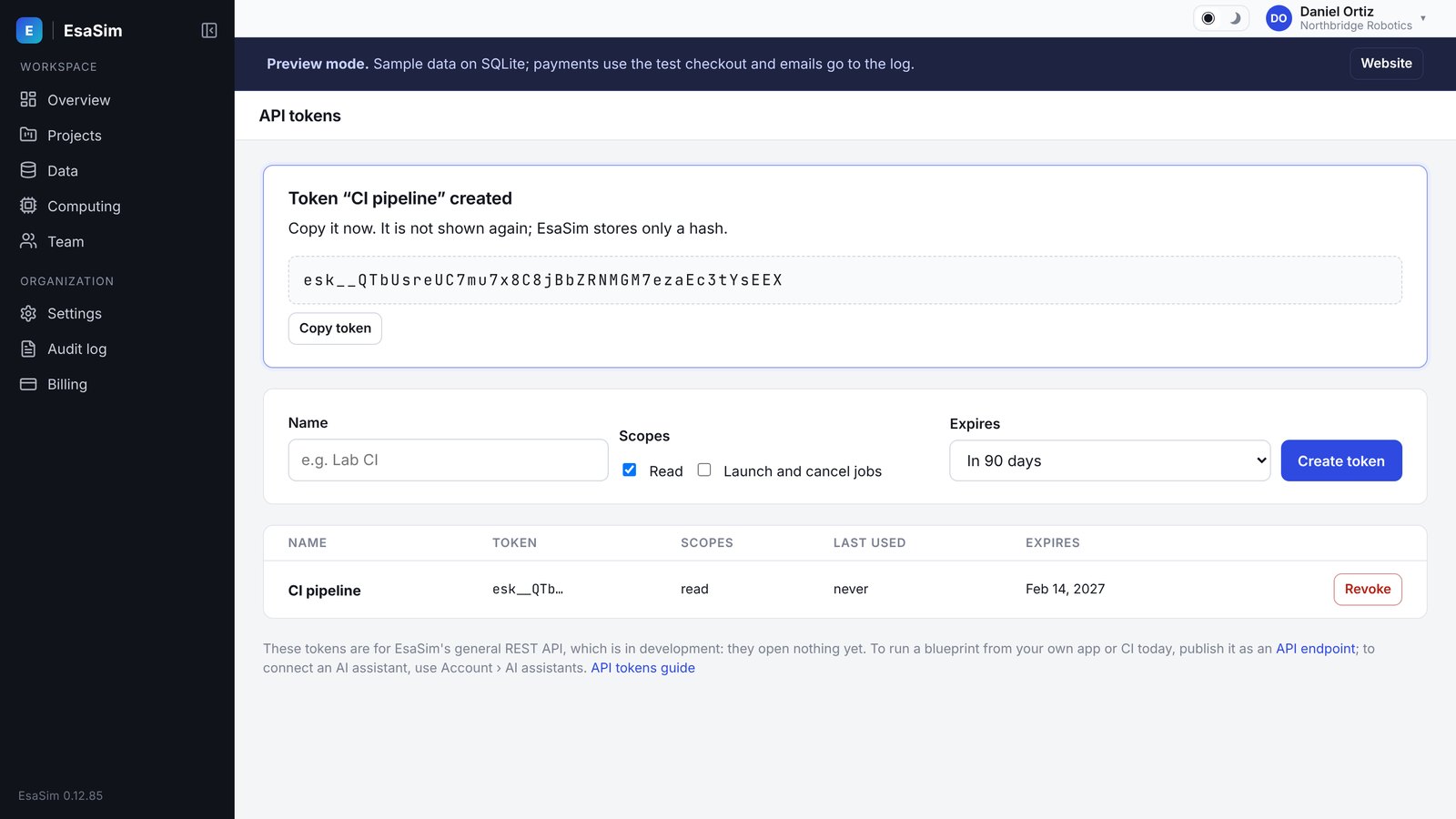
- Go to Account > API tokens and choose New token.
- Enter a name that says where the token is used, for example
ci-nightly-sweeps. - Select the scopes the token needs.
- Choose an expiry date, or no expiry.
- Choose Create and copy the token.
The token is shown once. EsaSim cannot show it again. If you lose it, revoke it and create a new one.
Tokens start with esk_. This prefix makes them easy to detect with secret scanners.
Scopes
| Scope | Allows |
|---|---|
read | Read projects, jobs, statuses, workers and usage. |
jobs | Create, cancel, clone and rerun jobs. |
workers | Register and manage workers and compute units. |
Give each token the fewest scopes it needs. A token never has more rights than you have. If your role or permissions change, the token's effective rights change too.
Expiry and revocation
- A token with an expiry date stops working at that date.
- Revoke a token at any time from Account > API tokens. Revocation takes effect immediately.
- The token list shows each token's name, scopes, creation date and expiry, never the token itself.
Using the API
In development. The public REST API endpoints come in a later release. You can create tokens today so that your scripts are ready. The details below show the planned usage.
The base URL is https://esacode.com/api/v1. Send the token in the Authorization header:
Authorization: Bearer esk_...Example request with curl:
export ESASIM_TOKEN="esk_..."
curl -fsS \
  -H "Authorization: Bearer $ESASIM_TOKEN" \
  https://esacode.com/api/v1/jobs
The endpoint reference will be published with the API release.
Security advice
- Store tokens in a secret manager or your CI system's secret store, not in code or config files in a repository.
- Pass tokens through environment variables, not command-line arguments that appear in process lists and shell history.
- Use one token per script or pipeline, so you can revoke one without breaking others.
- Set an expiry date for tokens used by automation, and rotate them before they expire.
- Revoke a token immediately if it may have leaked. Then check your recent jobs and, in organizations, the audit log.
- Report leaked tokens or suspected misuse to security@esacode.com.