
Agentic workflows
Describe the study. Your assistant builds it, runs it and reads the results.
Connect the AI assistant you already use to your EsaSim workspace. It sets up simulations from a description, runs them on your workers and keeps improving them with you, and everything it makes is an ordinary flow you can open and change yourself.
What changes
From days of setup to a conversation
Most of the time in a simulation study goes into wiring: finding the right pieces, connecting them, writing the code in between, reading logs. That is the part an assistant does well.
- 01
Say what you want to learn
"Will the drone land on a moving pad in gusty wind? Find where it starts to fail."
- 02
It builds the flow
The assistant looks at the blocks your workspace has, wires them into a blueprint and writes any missing block in Python.
- 03
It runs on your workers
It checks which workers fit each block, starts the run and follows the log while the results fill in.
- 04
It reads the results
It opens the tables, the pictures and the logs, says where the design breaks, and proposes the next change.
Keep improving
A study that gets better every pass
A simulation is rarely right the first time. Ask for another condition, a stricter measure of success, a different controller, or a comparison with last week's version, and the assistant changes the flow and runs the same scenarios again.
Each change is a numbered version, so you can always see what was changed, by whom, and which result came from which version.
- Add a variable to a sweep, or a block that does not exist yet
- Rerun the same scenario set after every change and compare
- Ask why a run failed: the assistant reads the log and the error of each block
- Start from a demo project and adapt it to your robot
# Example session

You   Add sensor noise to the sweep and rerun.

✓ Flow "Pad landing study" → version 2
    + setting  noise_std: 0.0, 0.05, 0.1
✓ Checked: 2 machines online, both fit
✓ Run started: 1,200 scenarios × 50 trials
✓ Results read

AI    With 0.1 of noise the success rate
      above 7 m/s of wind falls by half.
      Version 1 and 2 are side by side on
      the View page.
What an assistant can do
The same things you can do, with the access you choose
An assistant works in one workspace, as you. Your role in the workspace and in each project still applies.
Look
Projects, flows, blocks, workers, runs, logs, result files and datasets.
Build
Create projects from scratch or from a template, create and change flows, write and change blocks, publish versions.
Run
Start and stop runs on the project's workers and follow them to the end.
Read results
Open tables and text, look at pictures, download any file a run made.
EsaSim models
Assistants that run on EsaSim's own models, inside the editor, without a separate app.
An API for agents
The same abilities for your own agents and pipelines, without MCP.
Control
You decide what it may do
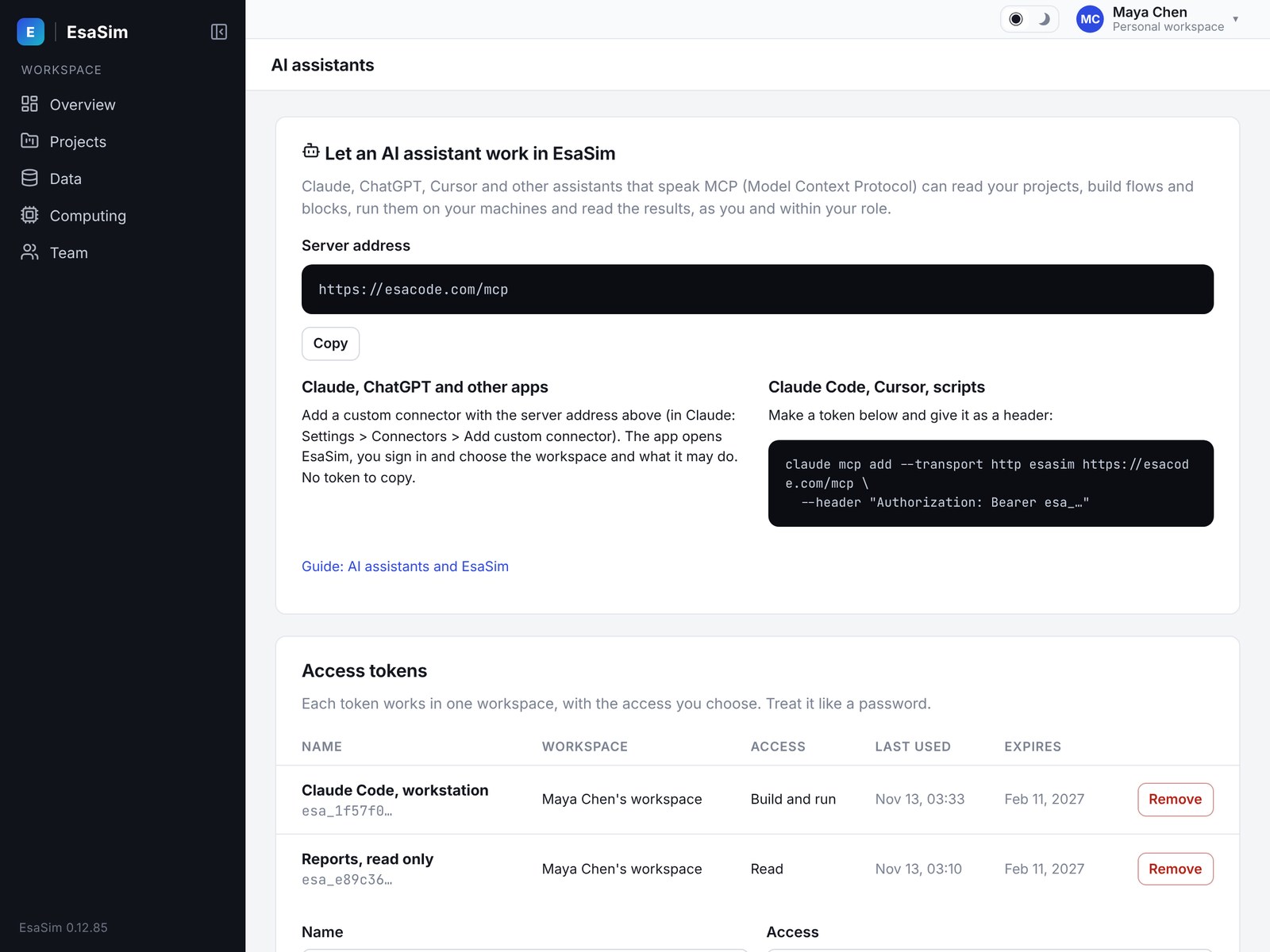
When you connect an assistant you choose one of three levels: Read, Build, or Build and run. It can never do more than you could in the dashboard, and you can remove its access at any time.
- Runs use your workers: nothing an assistant starts leaves your hardware
- API keys and other secrets cannot be set or read by an assistant
- Every change and run it makes is in the audit log, under the name of the app or token
- Sign-in with OAuth for apps, or a token with an expiry for tools and scripts
Works with
The assistant you already use
EsaSim is a server for the Model Context Protocol (MCP), the open standard assistants use to work with other tools.
Claude
Add EsaSim as a custom connector and sign in.
ChatGPT
Add it as an app in Developer mode; ChatGPT asks before each change.
Cursor and Claude Code
Add the server with a token, next to your code.
Any MCP client
Your own agent or script, with a token you can revoke.
Common questions
Do I need an assistant to use EsaSim?
No. Everything an assistant does can be done by hand in the blueprint editor, and a flow made by an assistant is an ordinary flow. Many people build the first version with an assistant and adjust it by hand.
Which model does it use, and who pays for it?
The assistant is the app you connect (Claude, ChatGPT, Cursor and others), on your own subscription with its maker. EsaSim does not charge for the connection. EsaSim's own models for agents are in development.
Does my data go to the assistant?
The assistant sees what it asks for through the connection: flows, logs, and the result files it opens. Datasets stay on your workers and are read there by blocks; an assistant sees a file's content only when it opens that file.
Can it break something?
It works with your role and the access level you chose. Changes to a flow are versions you can go back from, runs can be stopped, and the audit log shows everything it did.
Can a whole team use it?
Yes. Each person connects their own assistant to the workspace with their own role; the audit log names the person and the app.
Build your first study by describing it
Start free, connect your assistant, and ask it for a drone landing study on your own worker.