

Solutions · Robotics & manipulation
Grasps that hold up outside the lab
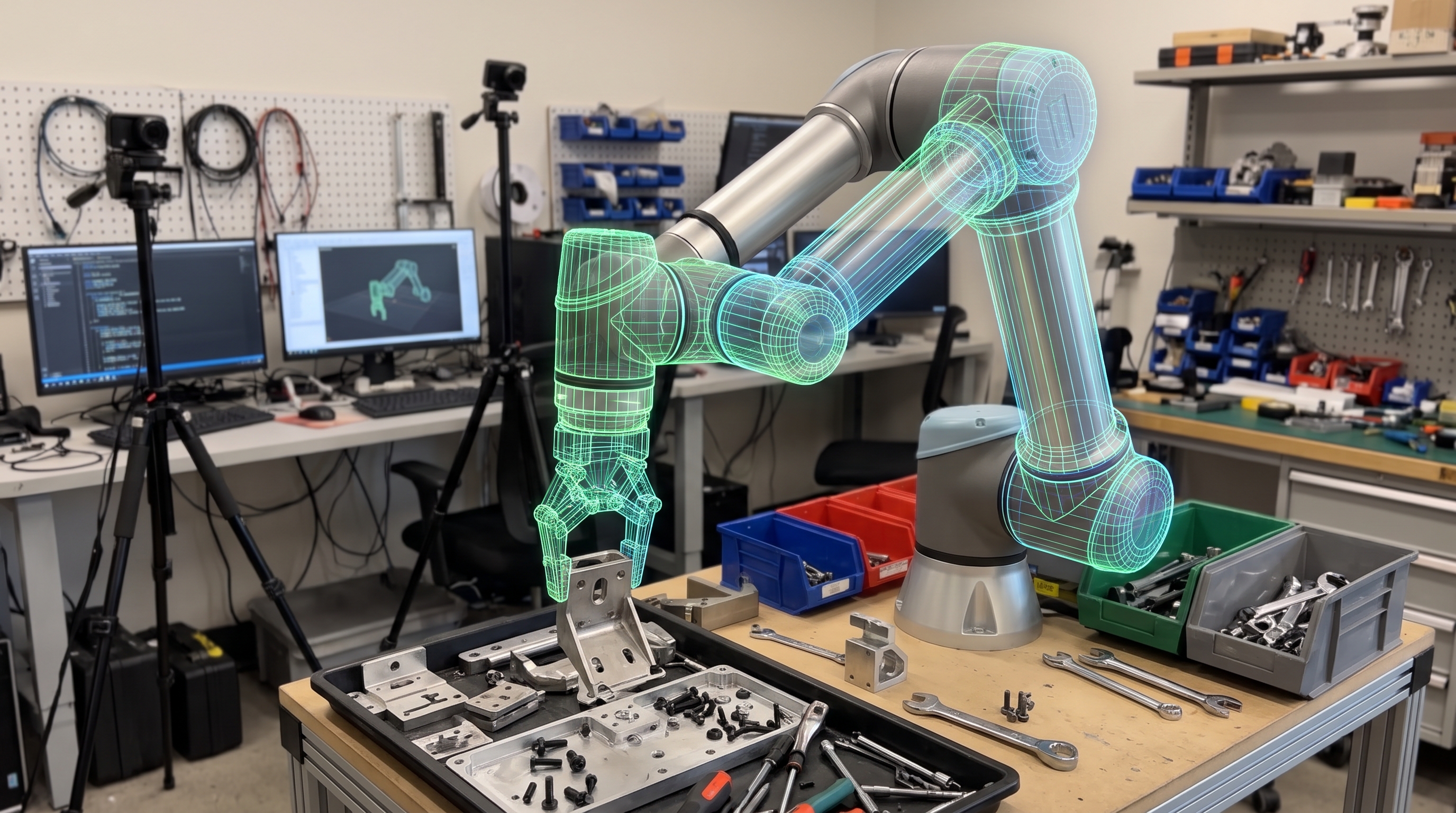
Manipulation fails on the long tail: a shiny part, a crushed box, a tote at the wrong angle. EsaSim lets you meet those cases in simulation first, and test every policy change across thousands of them before it reaches the arm.
What EsaSim answers
The questions EsaSim answers for robotics teams
Before a change reaches the arm or the legs, these are the questions a sweep or a training run on your own GPUs answers, with the numbers and the replays to show for it.
Will the grasp hold on the parts we actually ship?
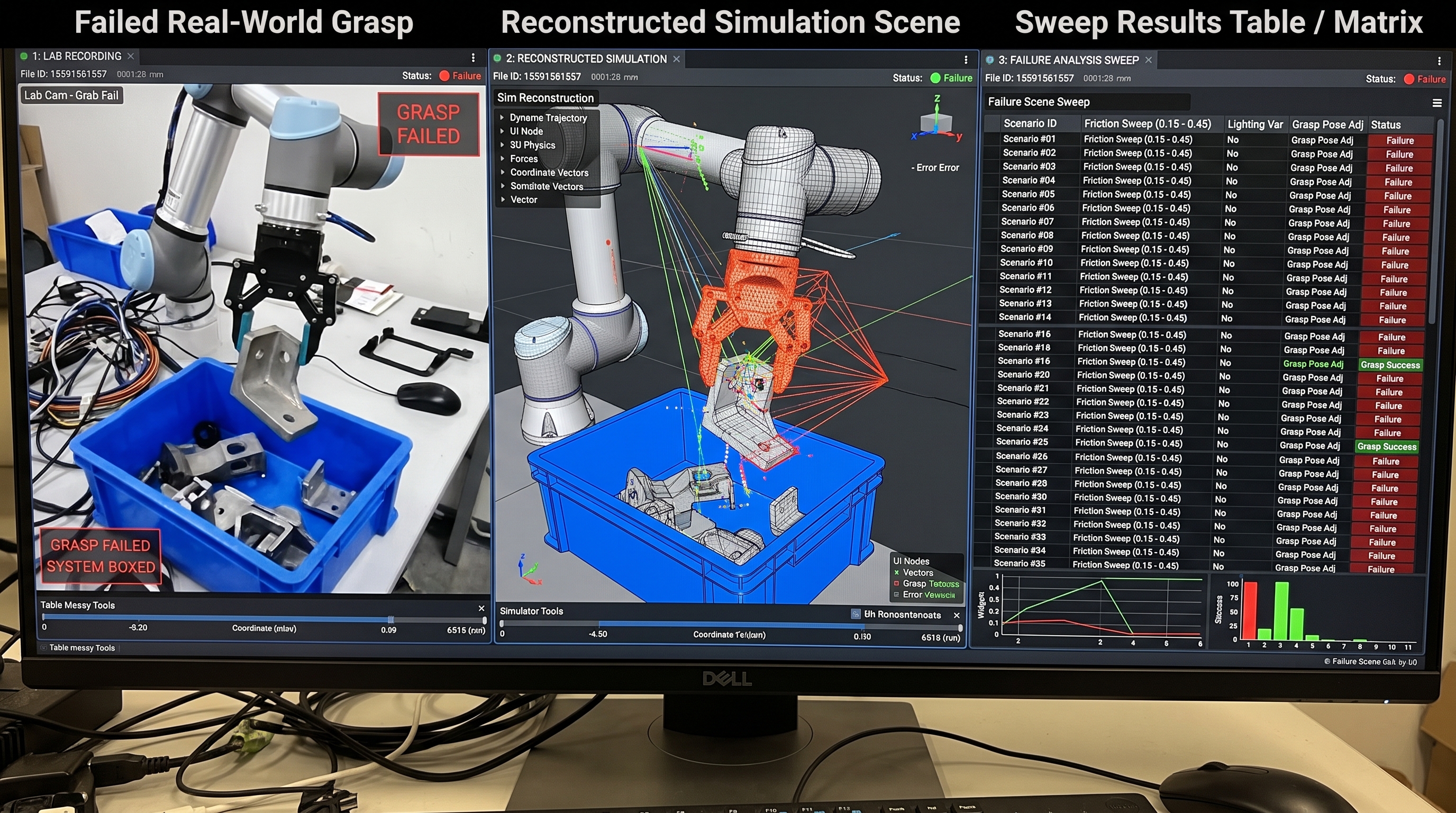
Rebuild the picks that failed (a shiny part, a crushed box, a tote at an angle) and sweep pose, friction, clutter and lighting across thousands of episodes. The success rate per condition shows where the policy breaks before the arm finds out.
Did this change fix the failure without breaking something else?
Keep the scenarios that broke earlier versions as a regression set and rerun it on every policy change, from your CI through an API endpoint. Results compare run against run, scenario by scenario.
Can the robot learn this skill in hours instead of weeks?
Train with reinforcement learning in MuJoCo or Isaac Lab, thousands of robots at once on one GPU. Reward and success curves fill in live, and the 3D view shows the policy as it learns.
Will the legged robot stay up on stairs, slopes and pushes?
Train through a curriculum of terrain and push strength, and count falls, recoveries and flights of stairs climbed per terrain. A robot that falls learns to get back up on its own.
Which robot, gripper or camera placement should we choose?
Run the same scenario set with each candidate as a setting of the flow, and compare success, cycle time and failures side by side before buying hardware.
Will the policy behave on the real robot?
Train only on what the real robot can sense, with friction, mass and delays varied, and check it against the same scenarios that came from the field. Running the policy on the robot through a bridge worker is in development.
Sim to realTypical workloads
Bin picking sweeps
Object poses, friction, clutter and lighting varied per episode, one GPU per replica.
Grasp policy training
Isaac Lab RL on a 4-GPU unit, checkpoints kept on the server.
Regression suites
A fixed scenario set rerun on every policy change, from CI with an API token.
Contact-rich control
MuJoCo rollouts for insertion, assembly and in-hand manipulation.
Legged locomotion
Humanoids learning to walk on rough ground, slopes and stairs with MuJoCo Warp, thousands at once on one GPU, reading the ground from a head depth camera.
Recovery skills
Getting up after a fall, learned from the poses real falls leave, with help taken away as the robot succeeds.
A pick that fails on the floor fails once
Most failures are caught in the sweep. When one still happens on the real cell, describe what made it hard and add it to the scenario set: every later policy is tested against it before it ships.
In development
One description for the twin and the robot
A robot is described once: its links, joints, motors and sensors from the MJCF or URDF its maker ships, plus how the real hardware reaches each motor and sensor, and the limits it must never cross. Training uses it in simulation; a bridge worker uses it on the real robot, from robots with their own SDK down to microcontrollers it can flash.
- Categories that make training work for new robots: legged, arms, wheeled, flying
- Policies that read only what the real robot can sense, trained across varied friction, mass and delays
- Measurements of the real robot fed back into its description, so the simulation keeps matching it
robot: unitree-g1
model: g1_29dof.xml        # MJCF from the maker
category: legged
hardware:
  link: unitree-sdk2 over Ethernet
  joints:
    left_knee_joint:  { motor: 3, sign: 1, offset: 0.0 }
    right_knee_joint: { motor: 9, sign: 1, offset: 0.0 }
  imu: pelvis
limits:
  torque: from model
  watchdog_ms: 50
  on_stop: damping
Build your first study this afternoon
Create a free account, link GitHub, pair a computer and copy a demo, or describe what you need to your assistant. It takes about ten minutes.