
Compute orchestration Early access
Start on a laptop. Scale to your servers and the cloud.
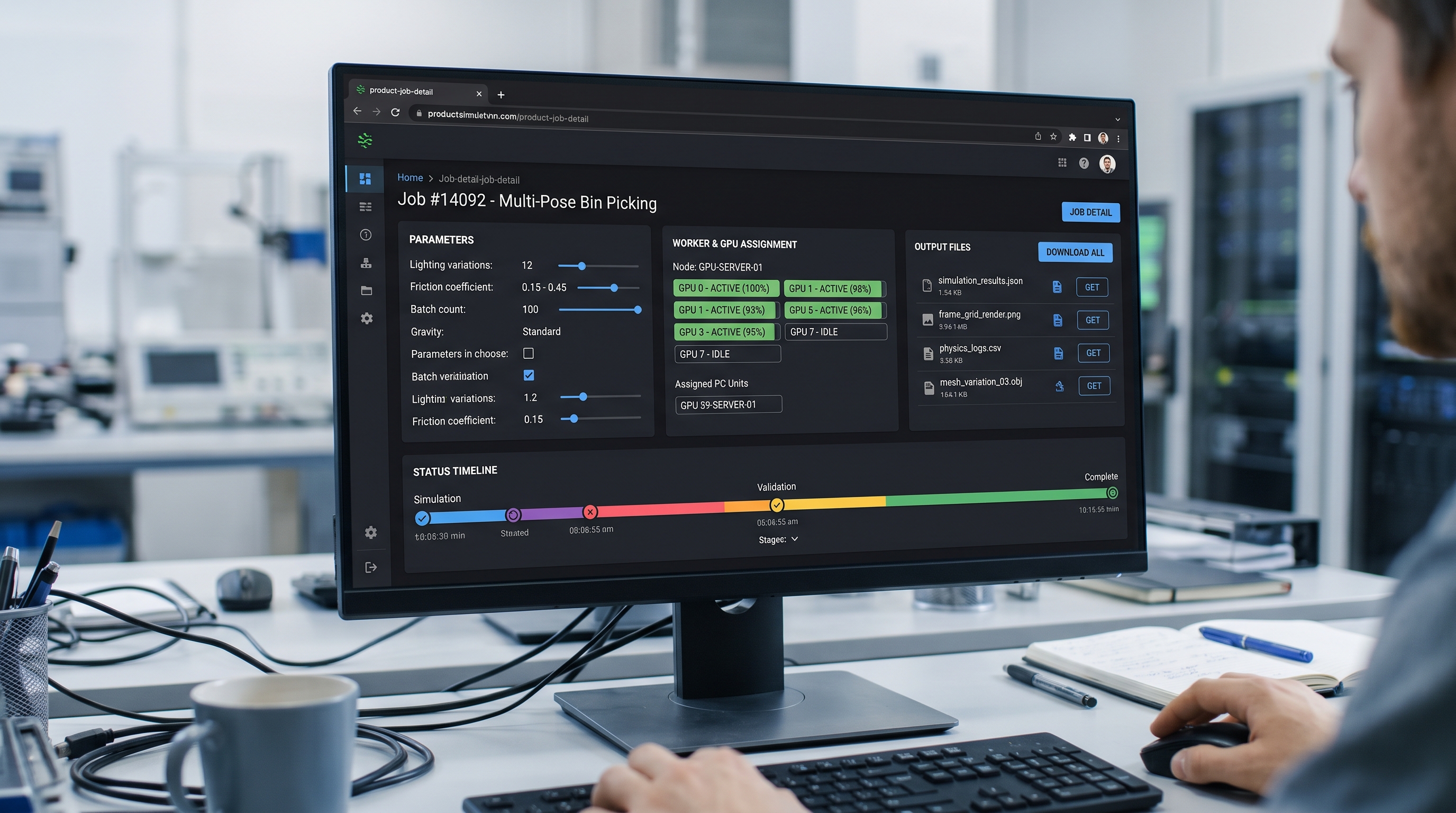
The same blueprint runs on a laptop, on your GPU servers and, soon, on cloud GPUs. EsaSim decides where each block fits, starts it and streams its logs, so growing means adding workers, not rewriting anything.
Targets
Three kinds of worker
Your workers
The EsaSim worker on any computer you run, here or remote: Windows, Linux or macOS. Installed once as a service with a 6-character code, then set up from the dashboard: tasks at a time, GPUs, presets, working hours, blueprint blocks in Python or Docker, and folders it shares as data. Connects out over HTTPS.
Server worker
A Linux service for multi-GPU workers. Installs with one command, discovers accelerators of any supported vendor and their PCIe topology, runs each job in a Docker container with exactly the GPUs, memory and disk of its compute unit.
EsaSim Cloud
Cloud GPUs started and released for you, for teams without hardware and for runs larger than their own workers. Paid per second from prepaid credits, so a run never costs more than you set aside. Ask for early access from the contact page.
Compute units
Split a server the way your team works
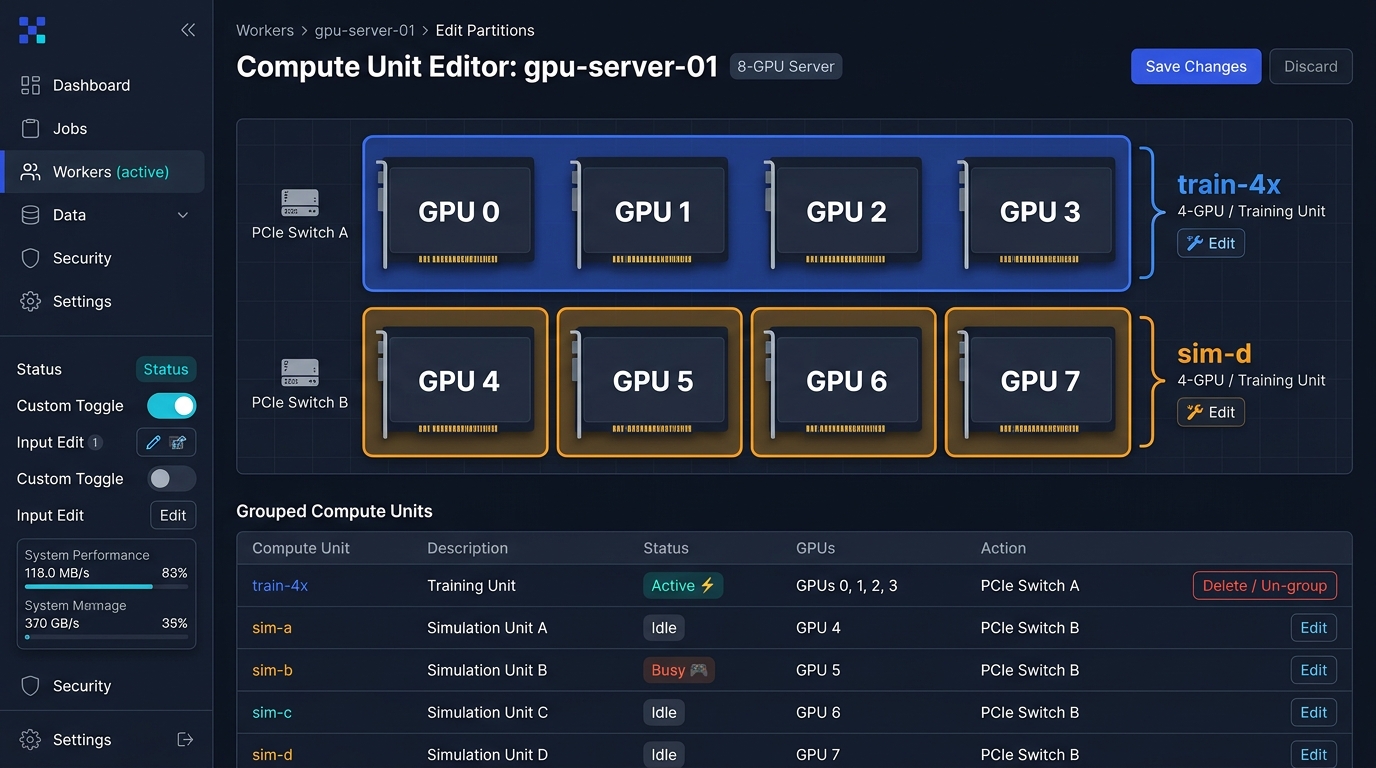
A compute unit is a named slice of a server: some GPUs, some RAM, some disk. One 8-GPU worker can be a 4-GPU training unit and four single-GPU simulation units at the same time, and you can change the split from the dashboard.
- GPUs assigned by index and PCIe group
- RAM, disk and CPU cores per unit
- Warning when a unit crosses PCIe groups on servers without NVLink
- Units can be disabled for maintenance without removing the worker
Scheduling
One run, several workers
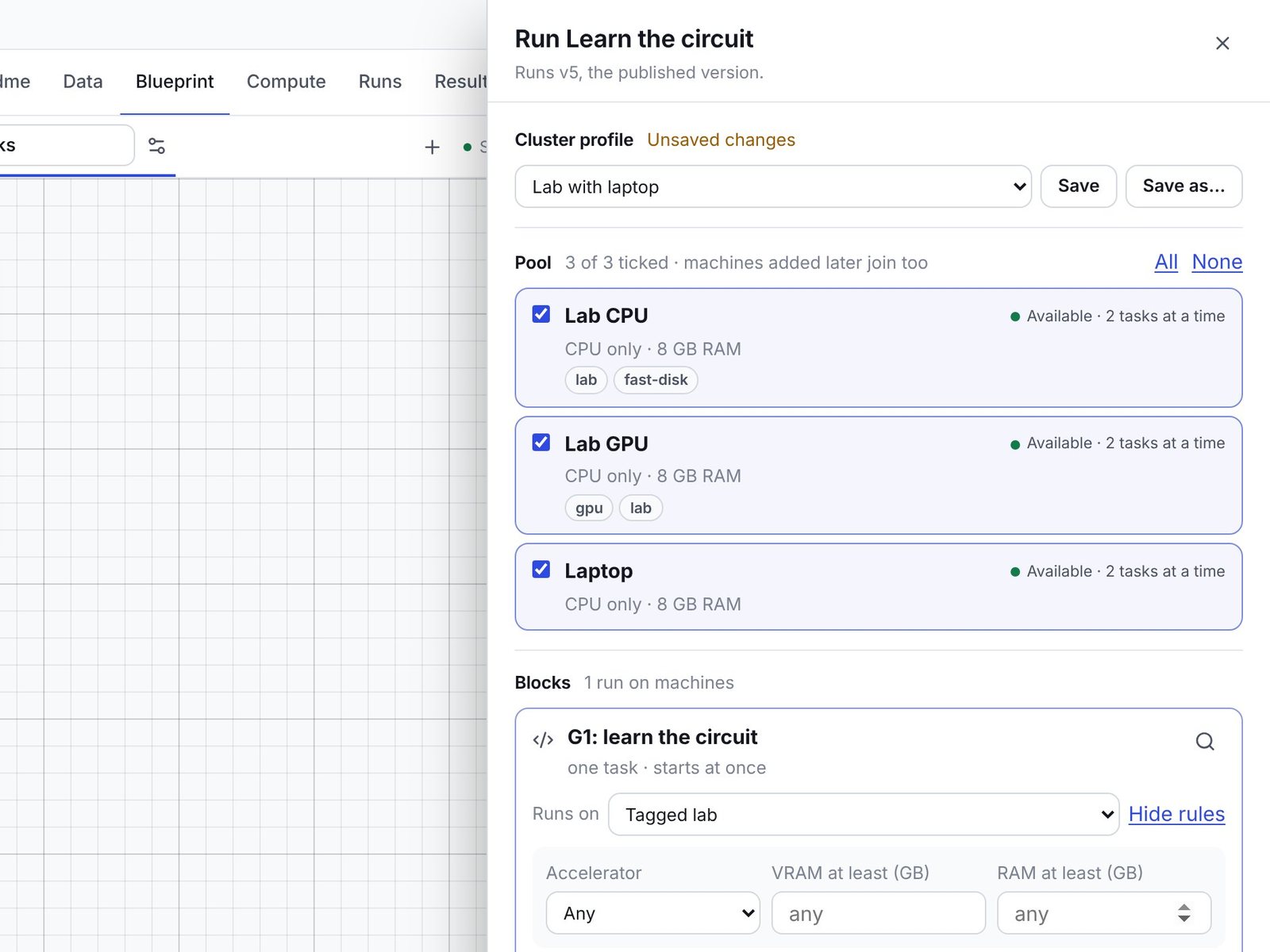
Press Run and a panel slides in with your workers and the blocks of the flow. Tick the workers the run may use; each block says in one line where it will go, and Change places it on one worker, on workers with a tag, or next to another block. Start is at the top and at the bottom.
While it runs, the blueprint says where: On Server1 PC, On 2 workers or Waiting for a worker, with the list of workers and what each one is doing, one click from the block on the grid.
- Workers ticked in one list; saved profiles when you have some
- Tags of your own on each worker, such as gpu-big or lab
- Each block's badge names its worker while it runs
- A time limit per run that starts from what the blocks ask for, and blocks that finish in time to keep their outputs
Sessions
Workers kept for you while you work
Sessions
The workers you run a project on stay yours for it: every flow you run then goes to them, placed by what each block needs, until you release them or leave them idle. Your workers are yours: teammates run on theirs, without waiting behind your runs; admins choose who may use which worker.
Interchangeable workers
Training carries on from the policy in the project's data, not from what an earlier run left on a worker, so any worker with the right hardware can take any block; the software it installed stays, so the next run is ready at once.
Cloud workers on demand
Prepare starts cloud GPUs from an image with the software already in it, paired to your session by themselves; Release deletes them and stops the bill. Paid by the workspace that owns the project, within the limits its admins set.
Requirements
What the workers need
Common questions
Does EsaSim see my data?
The data a project reads stays where you keep it: your storage, a repository, or a folder on one of your workers, reached through a connection you set up; EsaSim keeps file lists, checksums and small previews. Results stay on the workers that made them; small ones (summaries, previews) come to EsaSim. Projects themselves live in your GitHub repositories, and trained policies go there when you publish them.
How do I update my workers?
Workers 0.11 and later update themselves: when the site offers a newer worker, each one finishes its tasks, builds the new version in its folder and restarts into it, with nothing to do on the computer. Older workers need one update by hand.
How do I stop a worker?
From the dashboard, Pause stops it taking work. On the computer, the service stops with the usual command for your system (for example sudo systemctl stop esasim-worker), which the installer prints; a worker run in a terminal stops with Ctrl+C.
Can I mix local and server workers?
Yes. Each job chooses a target. Organizations can set a default target and restrict who may use server workers.
Can one run use several workers?
Yes. Each block of a blueprint can go to a different worker, chosen by you or by the rules of a cluster profile, and blocks that run as parallel tasks spread over the workers you allow. The blueprint shows which worker runs each block.
Can I run someone else's project on my workers?
A project runs only on the workers of the workspace that owns it, so nobody pays for compute meant for another. To use your own hardware, copy the project into your workspace (from GitHub or its zip) and send the results back; keys and data connections stay with the owner.
What does local compute cost?
Nothing. Running on your own hardware is free on every plan. Paid plans add features, not a per-GPU-hour charge on your own workers.
Build your first study this afternoon
Create a free account, link GitHub, pair a computer and copy a demo, or describe what you need to your assistant. It takes about ten minutes.