

Docs / Reference
Frequently asked questions
Short answers to common questions about data, workers, plans and what is available today.
General
What does EsaSim do?
EsaSim takes a robotics or AI workflow from an idea to production. You build it as a blueprint, by hand or by describing it to an AI assistant; you prove it in simulation across thousands of conditions, so problems show up before hardware or users are involved; and you ship it, as an endpoint your own app calls or as a published policy. The website coordinates the work. Your workers do the compute, and your projects live in your GitHub. See How EsaSim works.
What can I use today?
Version 0.12 includes accounts with two-factor authentication, organizations, roles and teams, billing, and projects with readmes, templates and demos that live on GitHub, with branches, pull requests, history and import and export. The EsaSim worker installs as a service on Windows, Linux and macOS and runs work split into parallel tasks with live logs, progress and outputs. On top of that:
- Blueprints: flows of blocks with a View page, a console of problems and logs, versions, and blocks of your own you can share or save to GitHub.
- 3D views of scenes, robots, warehouse fleets, anatomy and rocket flights, and rendering on your workers into pictures and videos.
- Datasets where they live (your workers, EsaSim storage, S3-compatible buckets, Google Drive, Dropbox, OneDrive, the Hugging Face Hub), with versions and lineage, and image curation with a review grid.
- Generative AI: images and videos from text on your own GPUs.
- Medical imaging: CT and MR scans to 3D anatomy and a soft-tissue model.
- AI agents with EsaSim models or your own keys, AI assistants (MCP) that build and run flows for you, and the free EsaSim library of test data.
- API endpoints: a blueprint published with an address and a key, called by your own app or CI.
- Published policies: versions of what a blueprint trained, kept as releases on GitHub.
Still to come: cloud GPUs on prepaid credits, EsaSim's own models and an API for agents, the server mode for shared GPU servers, bridge workers for real robots and the general REST API.
Which simulators and frameworks are supported?
In a blueprint, any simulator or framework installed on the worker (or in a Docker image) runs from a Python block; the Landing sweep, the warehouse fleet blocks and the soft-tissue model are complete examples, and the 3D view replays robots, fleets, anatomy and rocket flights.
Can EsaSim generate images and videos?
Yes, on your own workers, with open models downloaded from Hugging Face. Text to image runs on an NVIDIA GPU, a Tenstorrent card or the CPU; Text to video needs an NVIDIA GPU (8 GB is enough for the default model). The Images and Video review views show the results as they arrive, and the kept ones can be saved as a dataset. See Images and videos from text.
Can I make videos of a simulation?
Yes, two ways. In the browser, the 3D view saves pictures and records videos of what you see or of a whole replay, frame by frame. On a worker, the Render block renders a 3D scene into frames and an MP4, WebM or GIF, with Blender when it is installed (otherwise with its own renderer), and streams the frames to an Images view while it works. The 3D scene block says which model each object uses and which trajectory it follows. See 3D scenes and rendering.
Can an AI assistant build flows for me?
Yes. Connect Claude, ChatGPT, Cursor, Claude Code or another MCP client to your workspace: it can create projects, read your runs and download everything they made, build flows, write blocks and run them, with the access you choose and never more than your role allows. See AI assistants (MCP).
Can my blocks use CUDA, PyTorch or other Python packages?
Yes. Import what you need: before a block runs, the worker installs the missing packages with pip into its data folder (not the system's Python), and reuses them afterwards. Packages whose pip name differs from the import, or with extras and versions (numba-cuda[cu12], torch>=2.3), go under Python packages in the block's definition. GPU code needs the GPU driver on the worker and the block set to run on that accelerator. See Build your own blocks.
Is the EsaSim library free? Can I use its files in my work?
Yes. Every workspace can browse, download and use the library's collections in flows at no cost. Each collection states its source and, where it has one, its license. The starter collections are synthetic data made for EsaSim. See The EsaSim library.
Data and security
Does my data leave my workers?
Only where you choose. Datasets in folders your computers share, and large outputs, stay on your workers: the website receives job settings, status, log lines, small files and an index of output files, and for a shared folder the file list, checksums, a few facts and small image previews. Files go to EsaSim only when you upload them, open or download them in the browser (kept for a day), or send them to a dataset in a bucket or a cloud drive. EsaSim keeps no data files on its own server. An Agent block sends the items it reviews to the model you connect. See Results and usage and Data and datasets.
Can I use Google Drive, Dropbox, OneDrive or an S3 bucket?
Yes. Under Data > Connections, add an S3-compatible bucket (Amazon S3, Cloudflare R2, Backblaze B2, Wasabi, MinIO, Google Cloud Storage) with its keys, or sign in to Google Drive, Dropbox or OneDrive. Keys and sign-ins are stored encrypted and used only by EsaSim's server. See Data and datasets.
How do I put files into a dataset?
Open the dataset and choose Upload, or drop files or whole folders on its page. Large files go up in parts. For a folder on a computer, the computer's worker writes them into the folder (worker 0.8 or later). Results of runs can also go to a dataset as they are created, with Outputs go to in a block's settings.
Does code from a project run on my worker without my consent?
No. Blueprint blocks run on a worker only if its owner turns on Run code from projects in its Worker settings. What that code does is then your decision, as with any script you run; Docker keeps each block in its own container.
Do I need to open firewall ports?
No. Workers connect outbound over HTTPS on port 443. They open no listening ports and work behind NAT.
Is EsaSim SOC 2 or ISO 27001 certified?
Not yet. Both are on the roadmap. Current measures include Argon2id password hashing, TOTP two-factor authentication, CSRF protection, AES-256-GCM encryption of stored secrets, an audit log and HTTPS only.
Do you store my card number?
No. Payments, card data and invoices are handled by Stripe. EsaSim never stores card numbers.
Workers and compute
Can I use several GPUs in one PC?
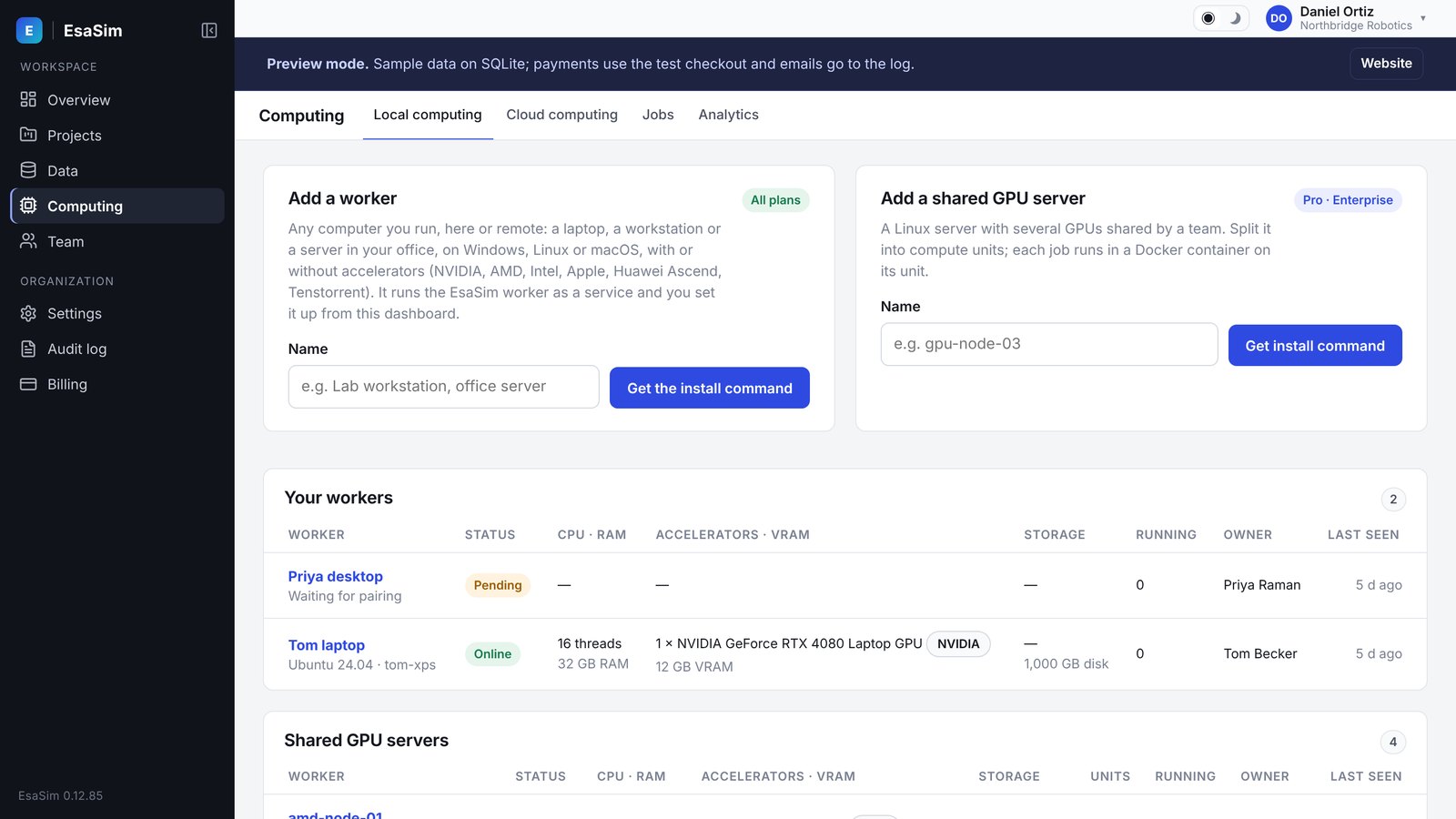
Yes. One worker uses every accelerator of its computer that you allow in Worker settings, and Sharing the accelerators decides how tasks split them: all together, one GPU per task, or groups you choose (an 8-GPU worker as 1 + 3 + 4, each task taking one free group whole and seeing only its GPUs). A job can ask for as many GPUs as your largest group. One worker with groups is the recommended set-up; several workers on one computer (one folder each) are for keeping parts of it apart. See Workers with several GPUs.
Which accelerators does the worker use?
NVIDIA (CUDA), AMD (ROCm on Linux, Vulkan on Windows and Linux), Intel (Arc, Data Center GPU and integrated, through oneAPI or Vulkan), Apple silicon (Metal), Huawei Ascend (CANN) and Tenstorrent, on the systems listed in Set up a worker. esasim-worker scan lists what a card still needs, such as a driver or the NVIDIA Container Toolkit.
Does the worker run on macOS?
Yes. It finds the Mac's GPU (Apple silicon through Metal, or the AMD and Intel GPUs of Intel Macs), and blueprint blocks run with the Mac's Python can use it, for example with PyTorch (MPS) or MLX. Blocks that need CUDA, ROCm or another vendor stack run on Windows and Linux workers. Docker on a Mac runs Linux without the GPU, so blocks in Docker use the CPU there.
My server has no NVLink. Can I still train on several GPUs?
Yes. Put GPUs that share a PCIe switch or CPU socket in the same compute unit. The dashboard warns when a unit spans PCIe groups. See Compute units.
How do I stop the worker on my computer?
Pause in the worker's Worker settings stops it taking work. To stop the program, use the commands the installer prints: for example sudo systemctl stop esasim-worker on Linux or Stop-Service EsaSimWorker on Windows (worker 0.6.1 also has service stop and service start). A worker run in a terminal stops with Ctrl+C. See Set up a worker.
Do I need my own GPUs?
Today, yes: runs go to workers you pair, from a laptop to a GPU server. Cloud GPUs are in development, for teams without hardware and for runs larger than their own workers; tell us if you want to be among the first to use them.
When will cloud GPUs be available?
Cloud compute will be enabled per provider by the platform team. It is paid with prepaid credits, per second, so a run never costs more than the credits you set aside, and it will be included in Pro and Enterprise. See Cloud credits.
Can my own app use what I built in EsaSim?
Yes. Publish the blueprint as an endpoint (the project's API tab): your app sends the inputs over HTTPS with the endpoint's key and reads the results as JSON. See From a blueprint to your app.
Can a team work on the same project?
Yes. A project is a GitHub repository: colleagues work on branches, open pull requests that say what changed blueprint by blueprint, review and merge, and changes made at the same time are merged block by block. Roles, per-member limits and the audit log are on Enterprise. See Working together on GitHub.
Where do my projects live? Am I locked in?
No. Each project is a repository in your own GitHub account, in open formats (JSON blueprints, Python and JavaScript blocks, a Markdown readme), and data and results stay on your workers. If you stop using EsaSim, everything you made is still yours and readable.
Plans and accounts
Is there a free plan for researchers?
Yes. The Free plan includes up to 2 of your own workers, 1 GPU per job and 3 projects. Verified researchers can also apply for the academic program at /academic.
What happens when I cancel?
Cancellation takes effect at the end of the paid period. Then the workspace returns to Free limits. See Plans and billing.
Can I export my data or delete my account?
Yes. Under Account you can export your account data and delete your account. If you own an organization, transfer ownership or delete the organization first.
How do I get help?
Free users get community support. Pro users get email support at support@esacode.com. Enterprise organizations get priority support. For sales questions, write to sales@esacode.com.